Accessing Your Subscription Settings
1
Go to PSNTools
Go to the PSNTools website. On the main page, look at the top right corner and click on your profile picture. From the dropdown menu, click on Redeem Code.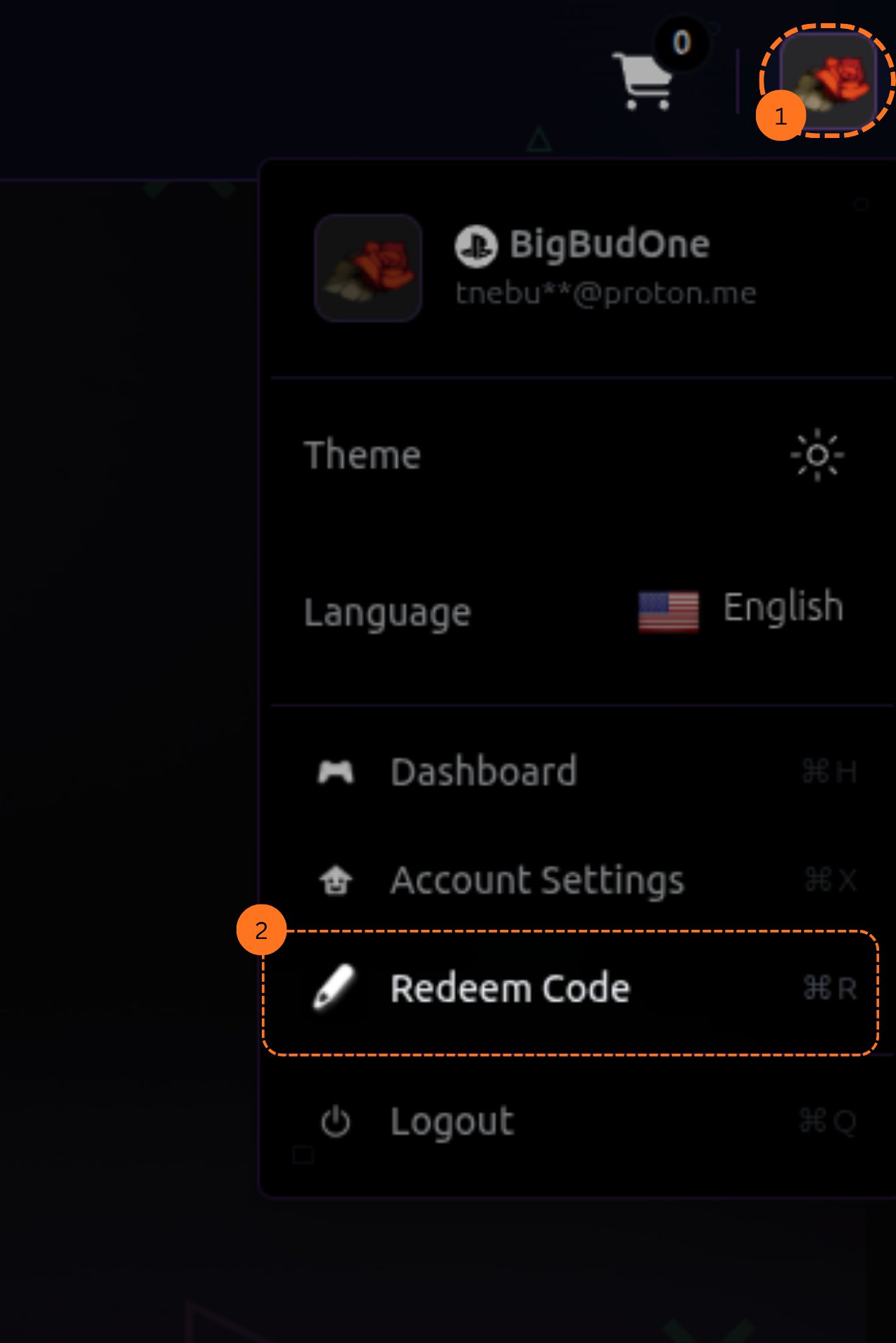
2
Open Membership Tab
Go to your account settings and click on the Membership tab.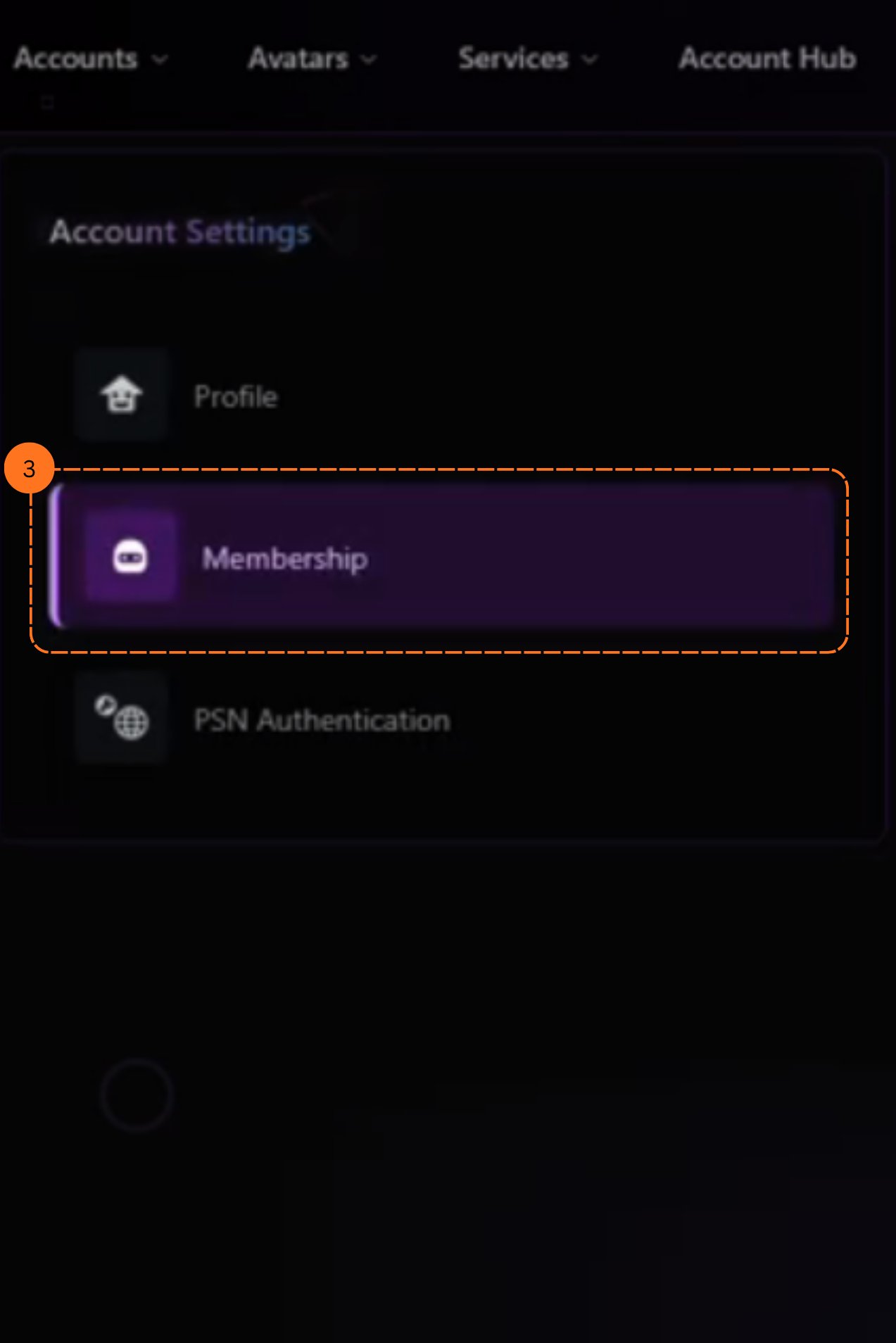
3
Find Manage Subscription
Scroll down until you see Manage Subscription.
4
View Subscription Details
Click on it. You will see a page where you can manage your subscription and billing settings.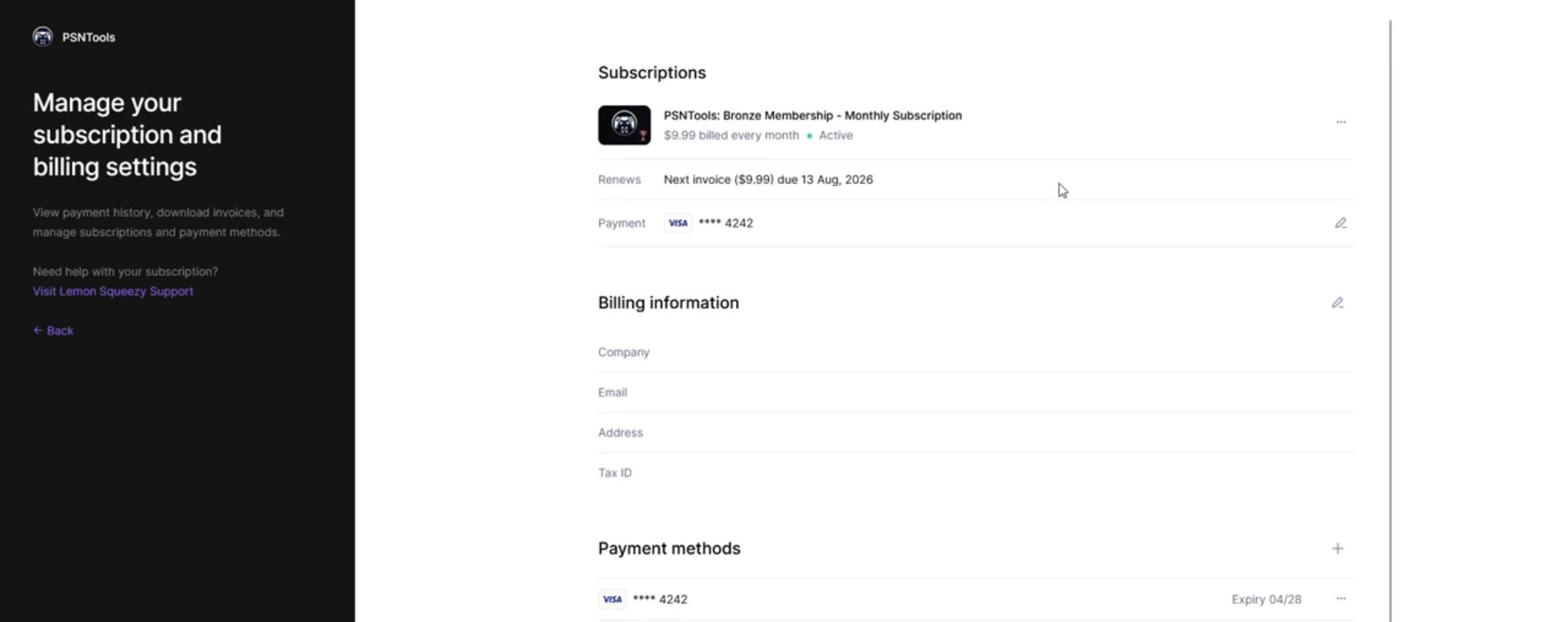
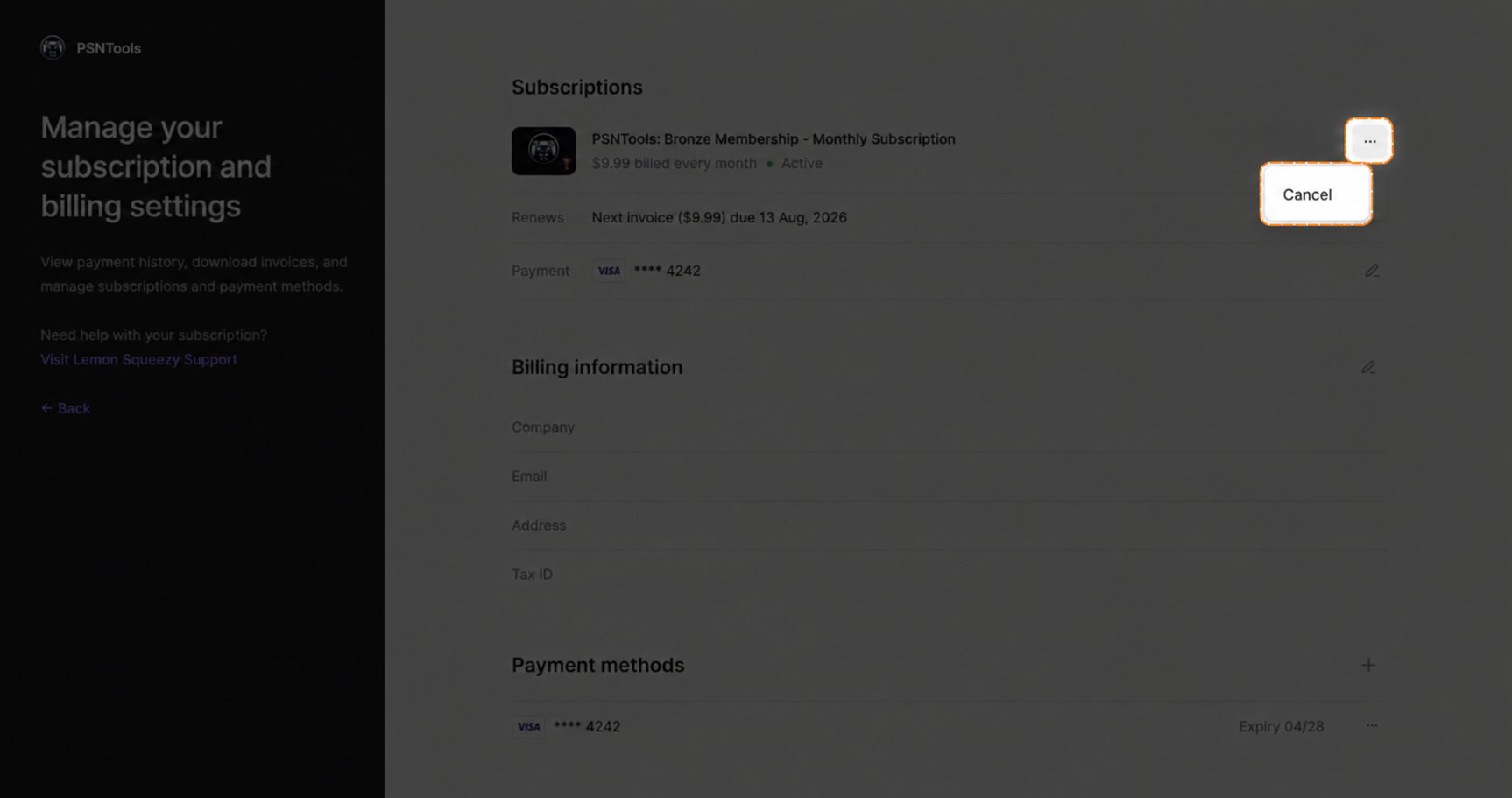
Canceling Your Subscription
To cancel your subscription, click on the three dots and then click Cancel.