
Complete Service access first, including connecting your PSN account.
1
Open Avatars
If you logged in with your order details: on the Your Services page, find the Avatars card and click it.If you used the magic link: open the magic link from your order, then click Avatars on the Your Services page.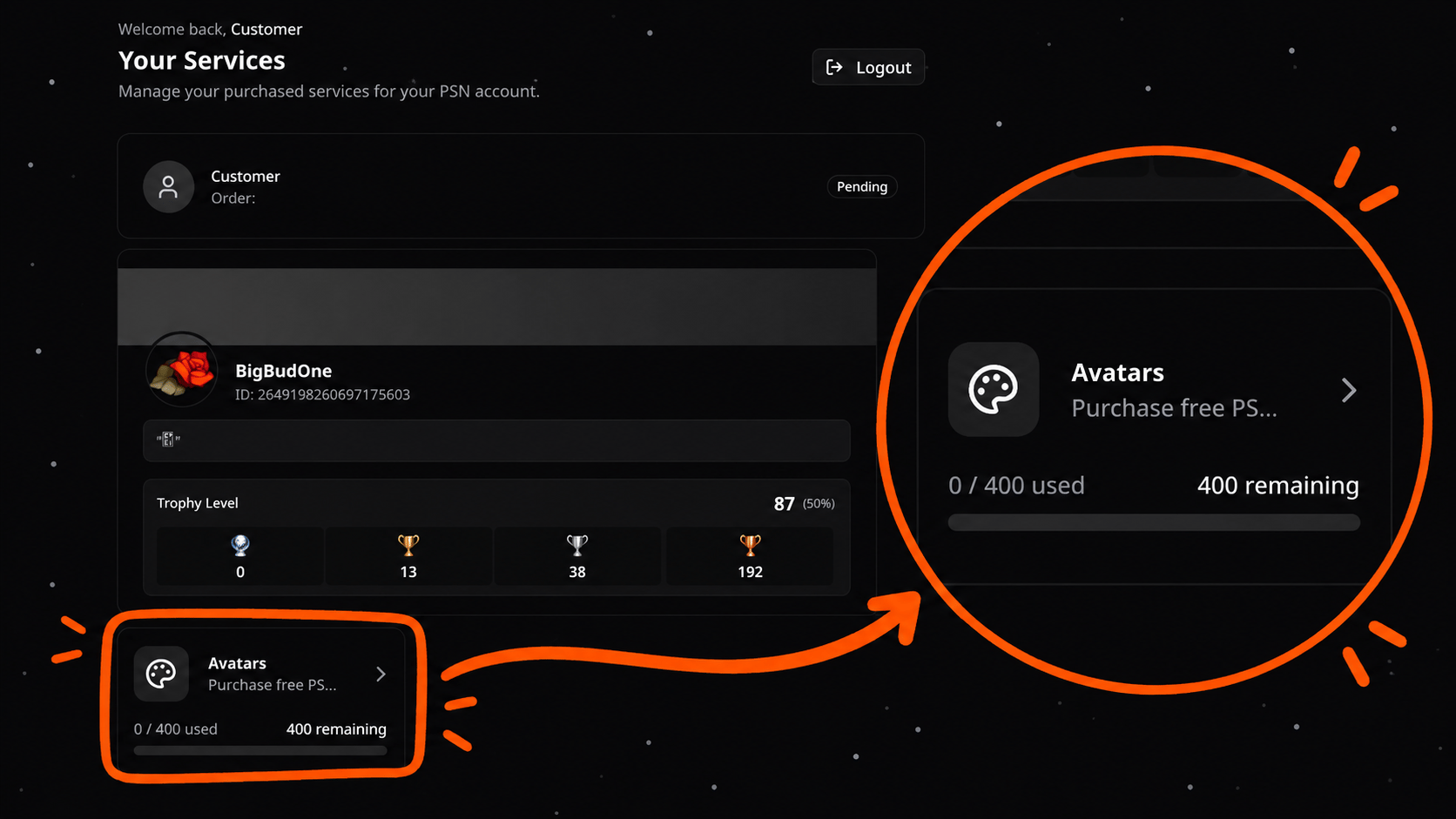
2
Choose how many avatars to add
The Avatar Entitlement section shows how many avatars you have left. For example, 400 remaining.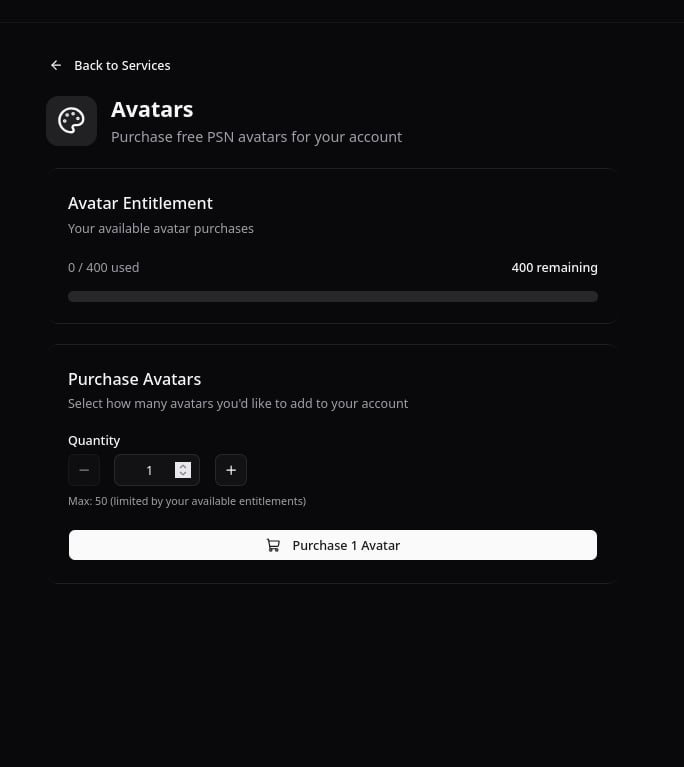
- In Purchase Avatars, choose a quantity.
- You can add up to 50 avatars per day.
- Click Purchase Avatar.
The quantity cannot be higher than your remaining entitlement or the daily limit of 50.