
Complete Service access first, including connecting your PSN account.
1
Open Profile Customization
If you logged in with your order details: on the Your Services page, find the Profile Customization card and click it.If you used the magic link: open the magic link from your order, then click Profile Customization on the Your Services page.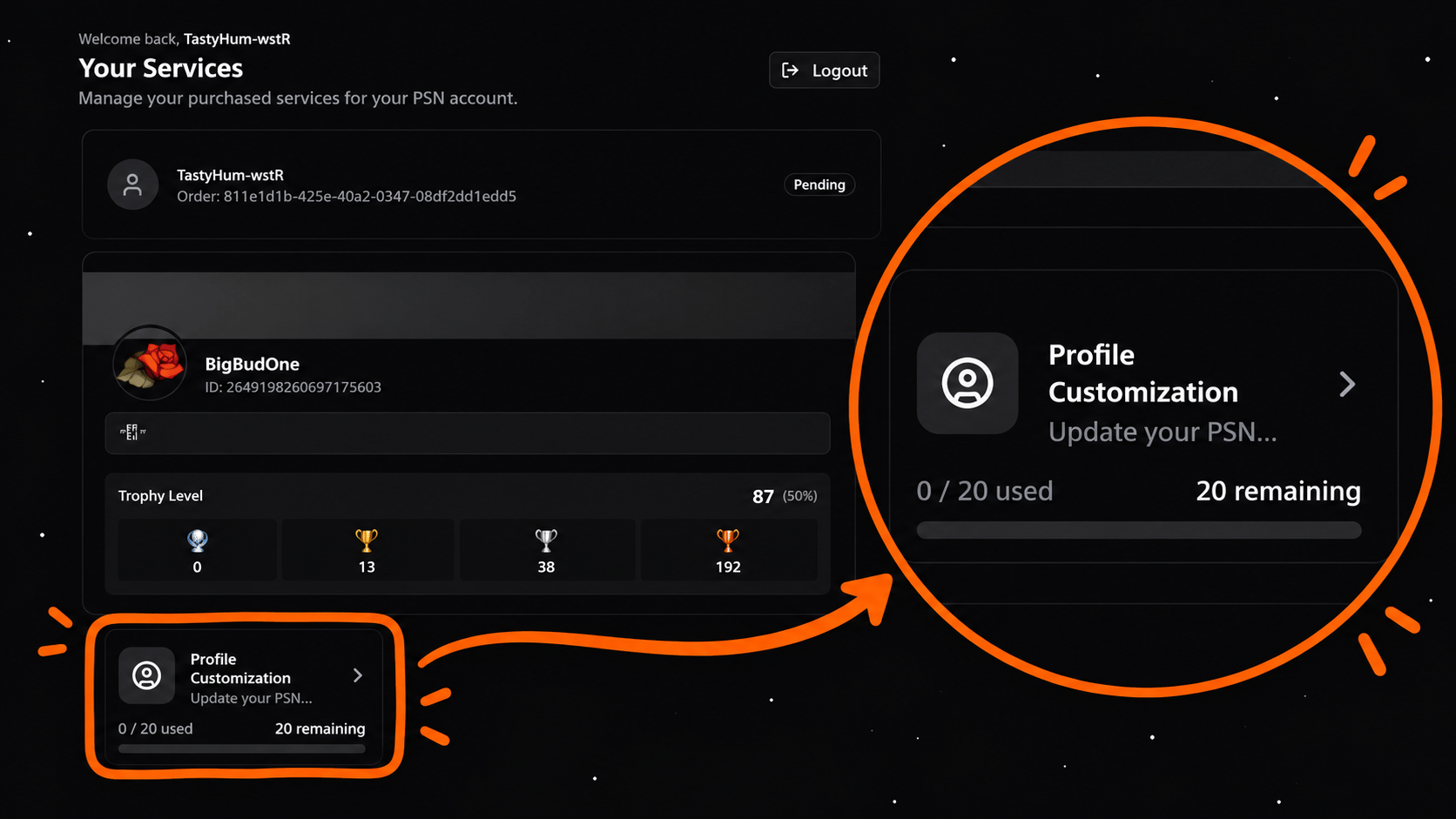
2
Choose what to change
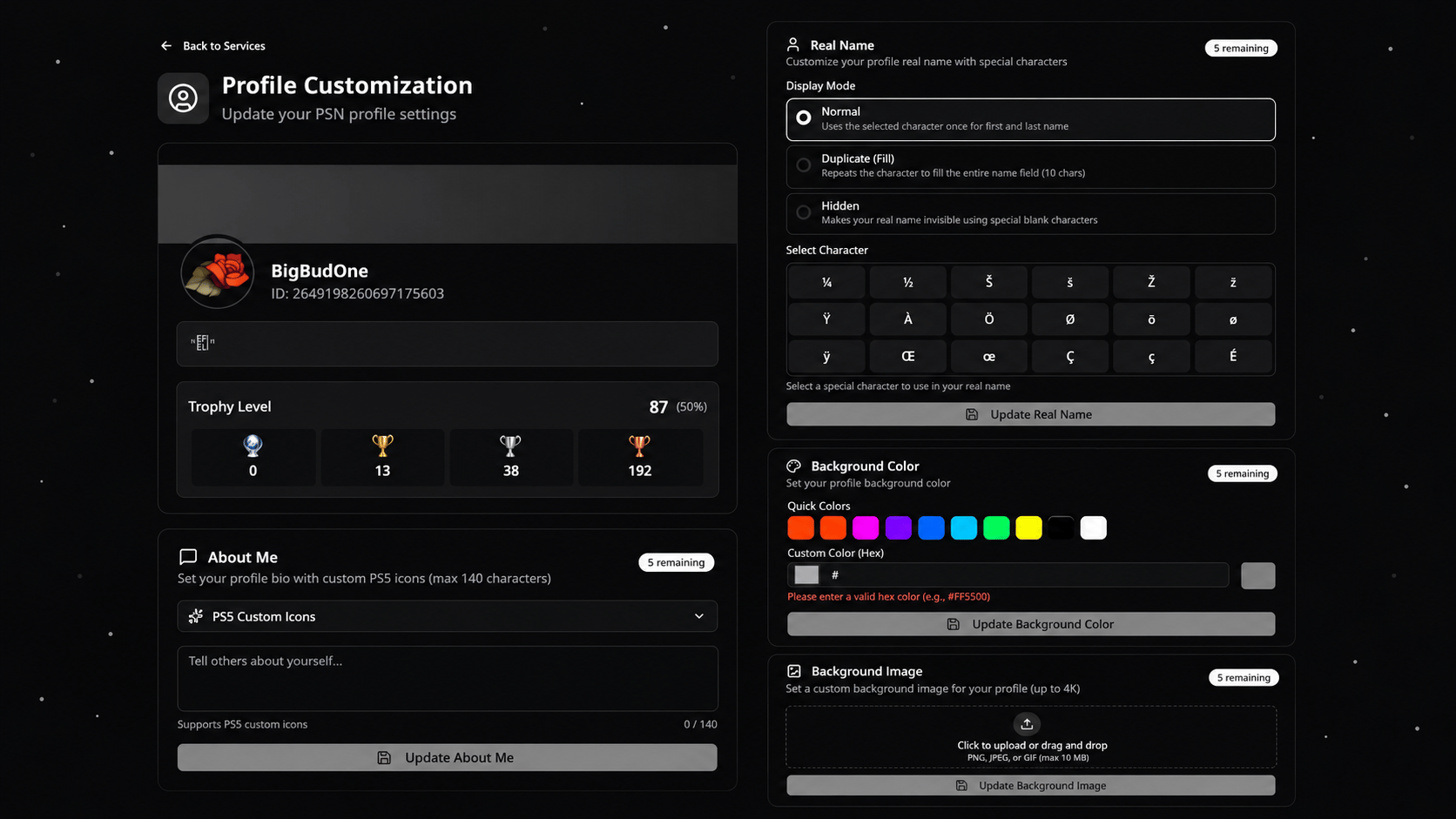
- About Me: Set your bio with custom PS5 icons, up to 140 characters.
- Real Name: Use special characters, or fill or hide your real name.
- Background Color: Pick a quick color or enter a hex code.
- Background Image: Upload a PNG, JPEG, or GIF up to 10 MB.