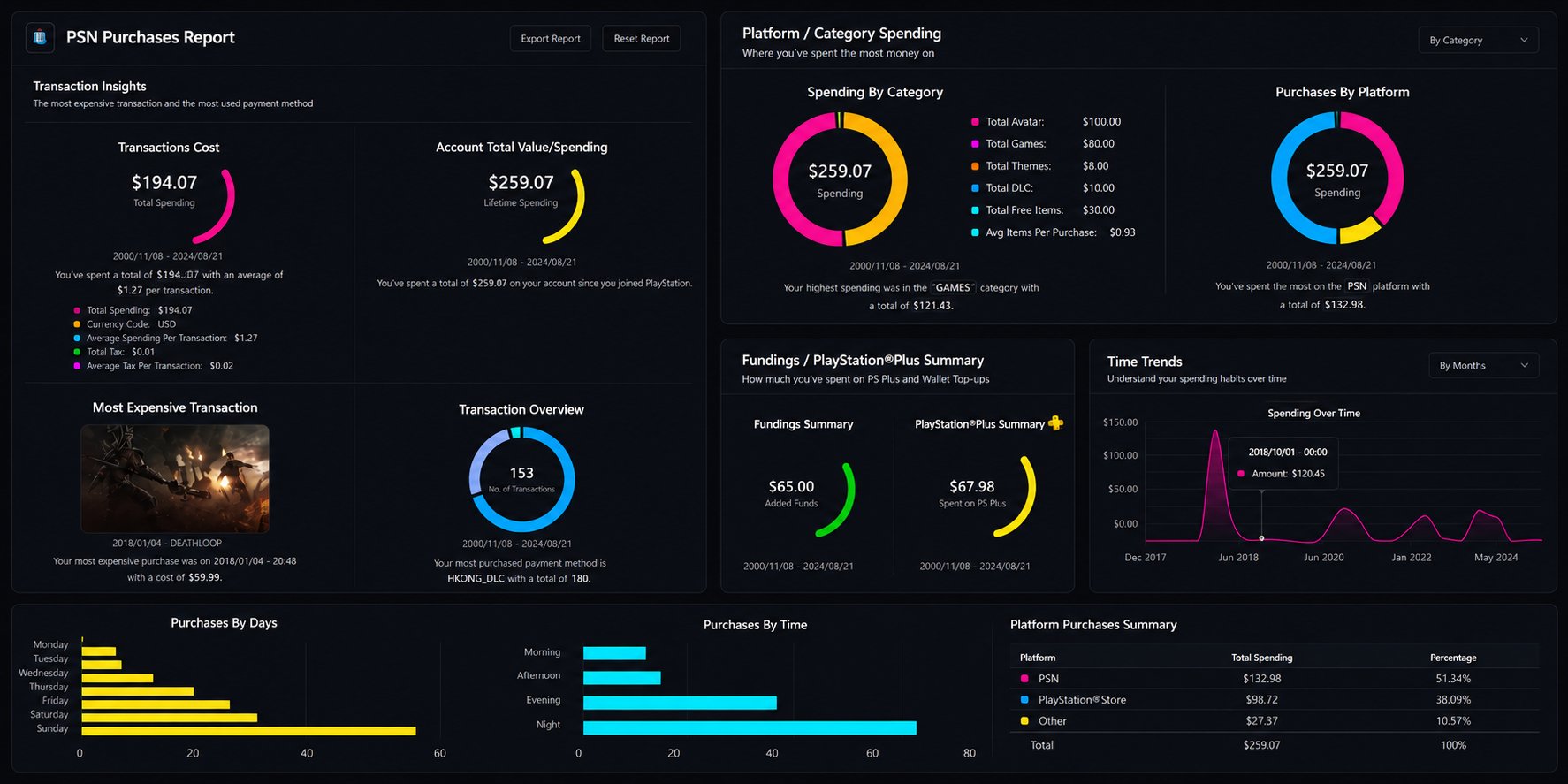
Prefer to watch? Video tutorial
Prefer to watch? Video tutorial
Make sure your NPSSO cookie is fresh before using PSNTools. Sign out of PSN and sign back in if needed. NPSSO guide here.
Go to Purchase Analytics
Head over to the Purchase Analytics page. Click the Select Date Range button.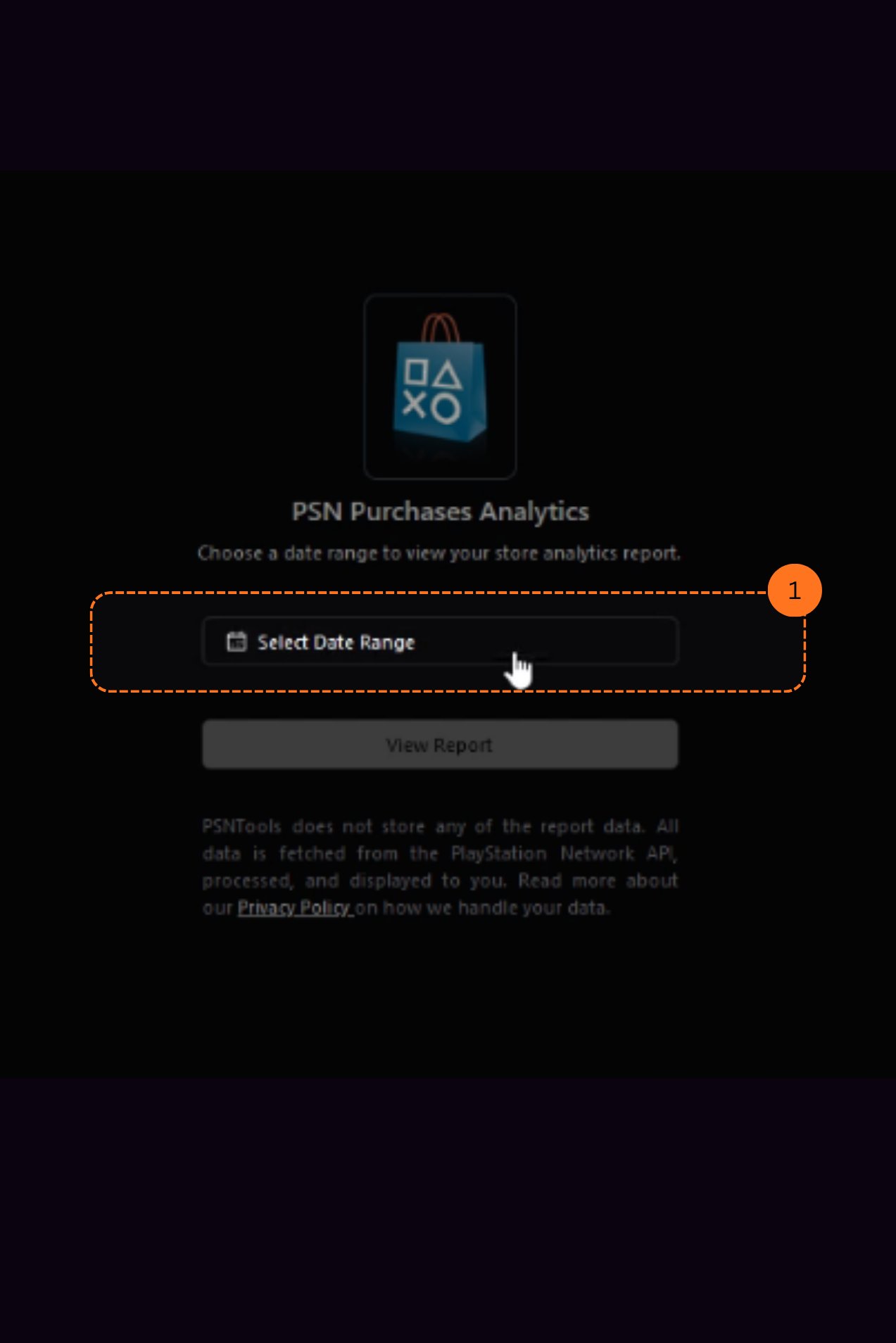
Choose a Date Range
After clicking, you will see several options: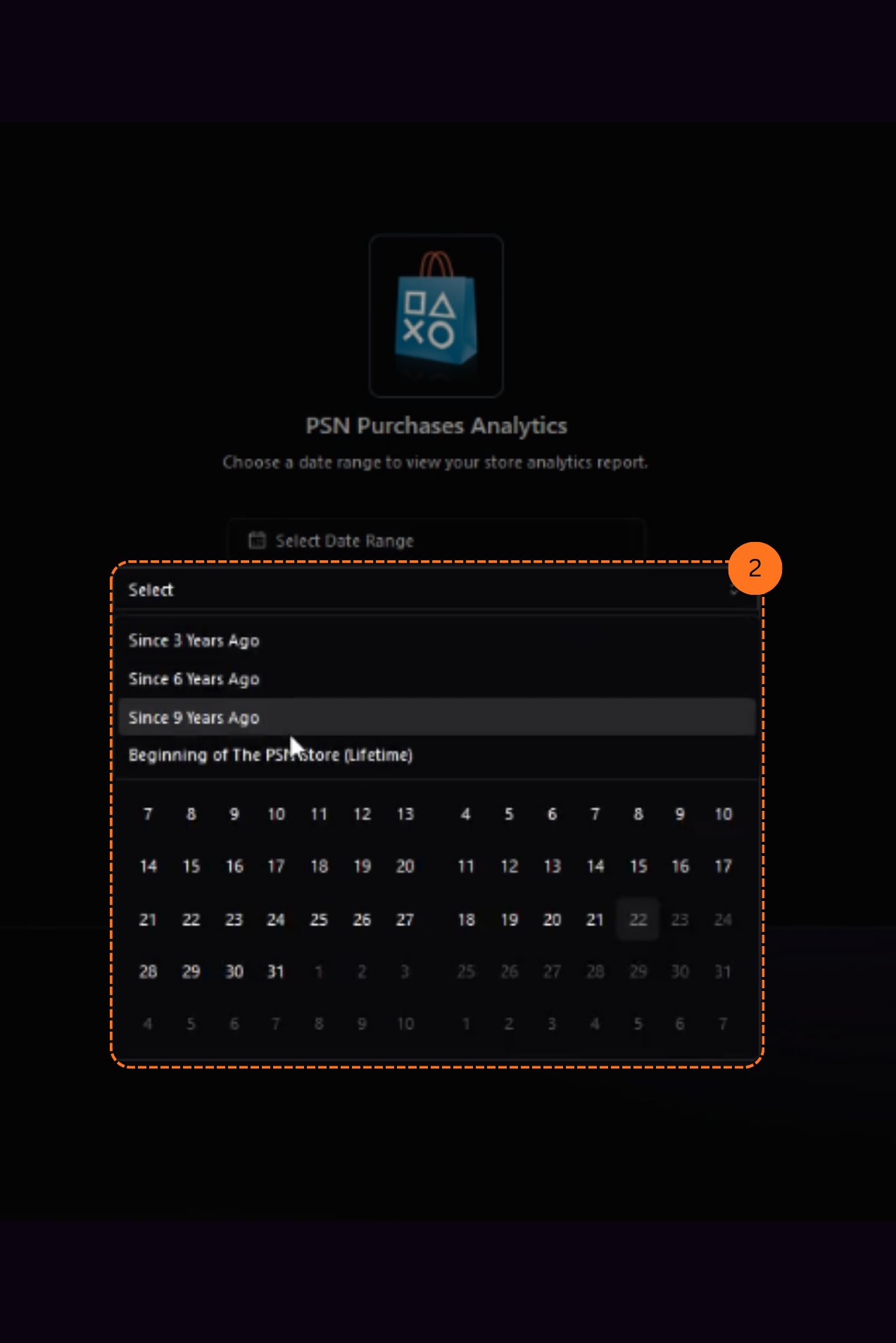
- Beginning of the PSN store
- Since 9 years ago
- Since 6 years ago
- Since 3 years ago
- Or set a custom time in the date section below
How far back you can look depends on your membership tier. See the membership comparison.