Prefer to watch? Video tutorial
Prefer to watch? Video tutorial
Make sure your NPSSO cookie is fresh before using PSNTools. Sign out of PSN and sign back in if needed. NPSSO guide here.
Before you start
Make sure password during checkout is disabled in your PSN account settings. You can change this under your PlayStation account settings.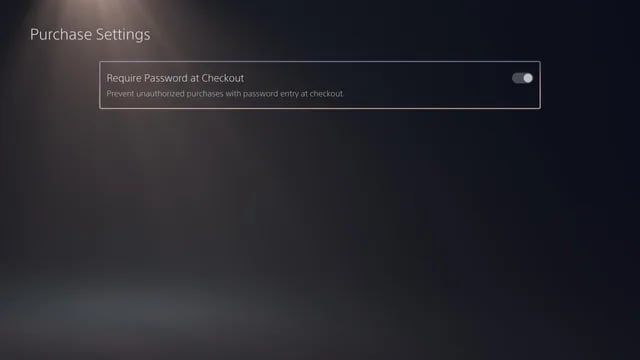
Go to Avatar Adder & Collection
On the PSNTools main page, look for the Avatar Adder & Collection section and click it.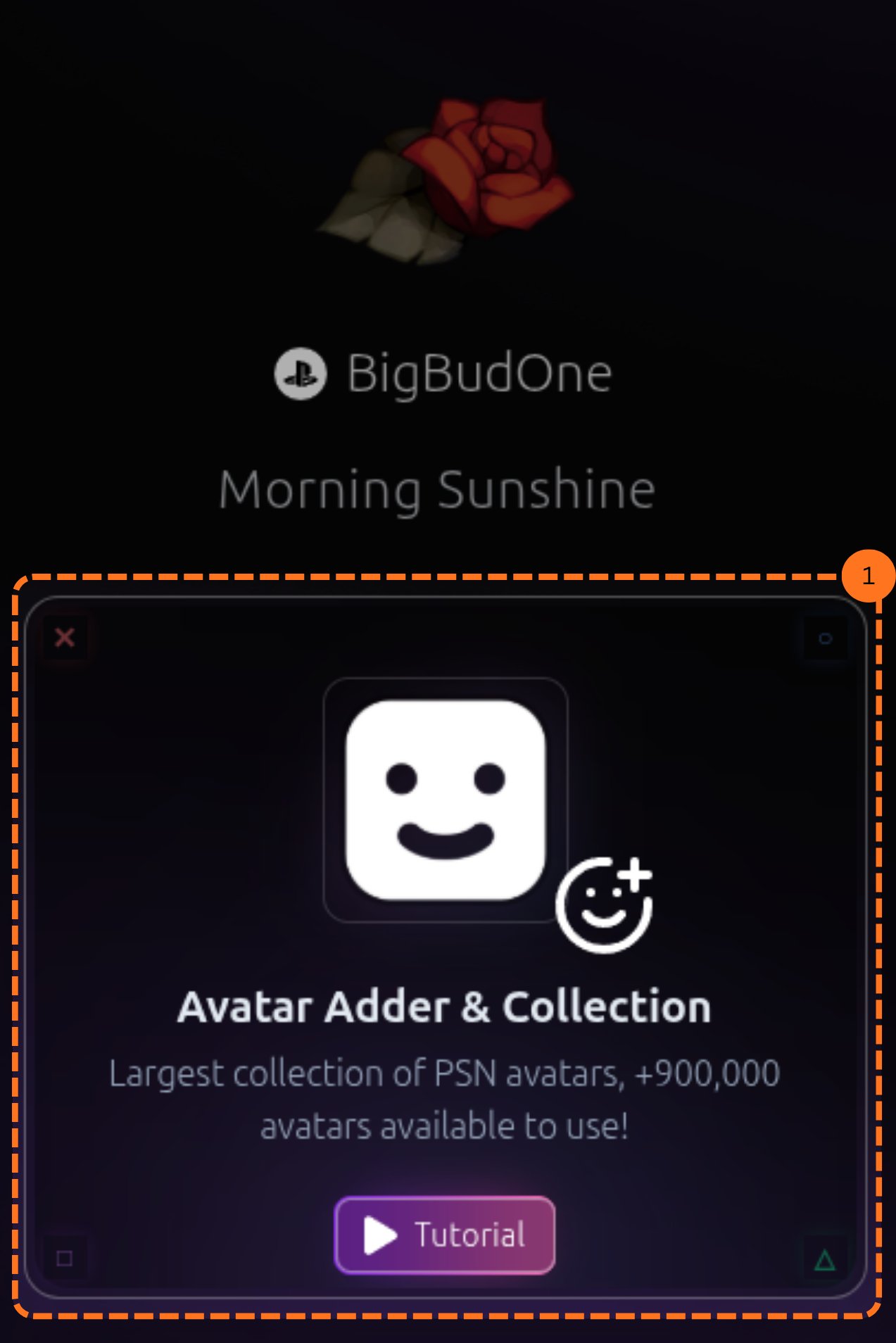
Add an Item to Your Cart
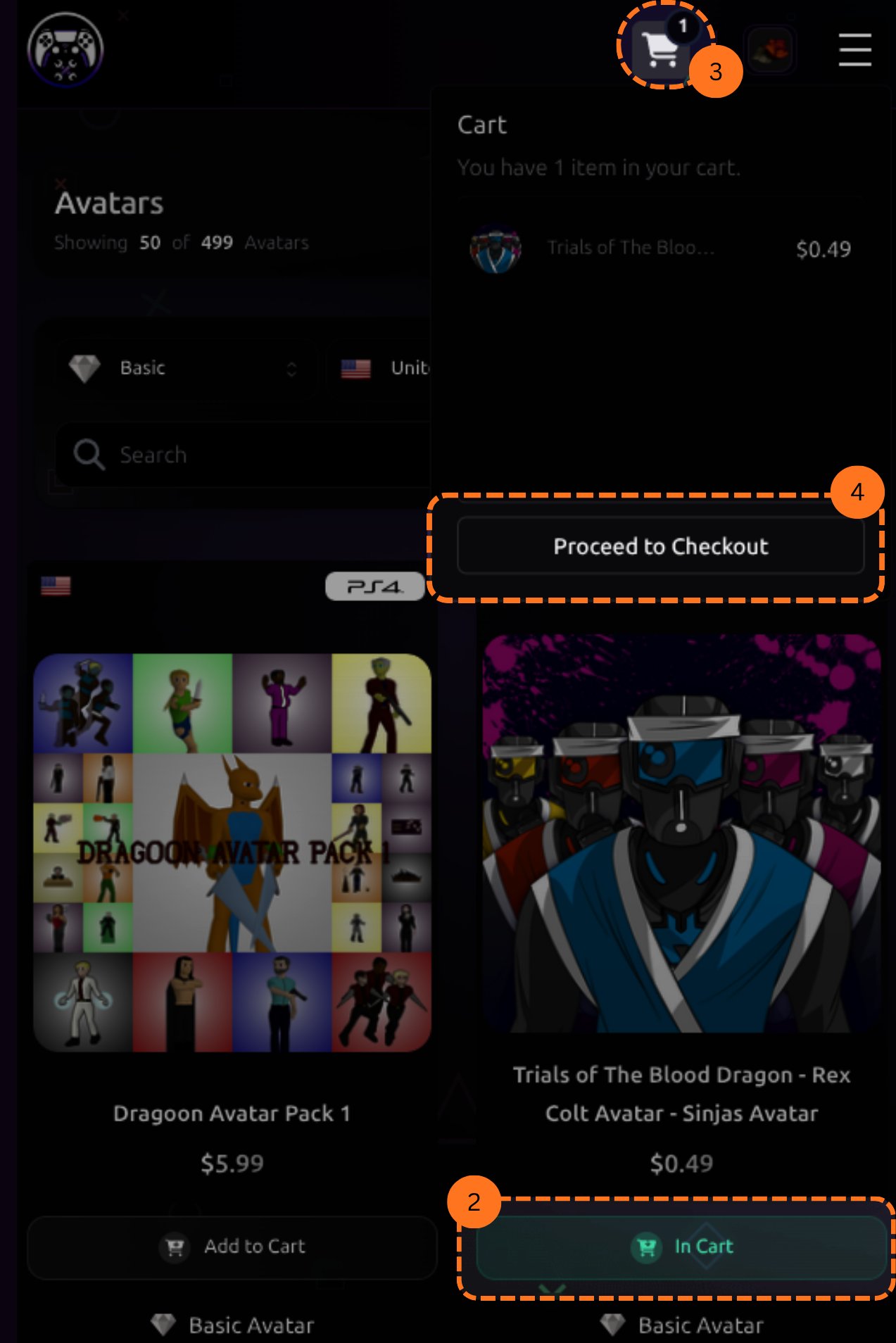
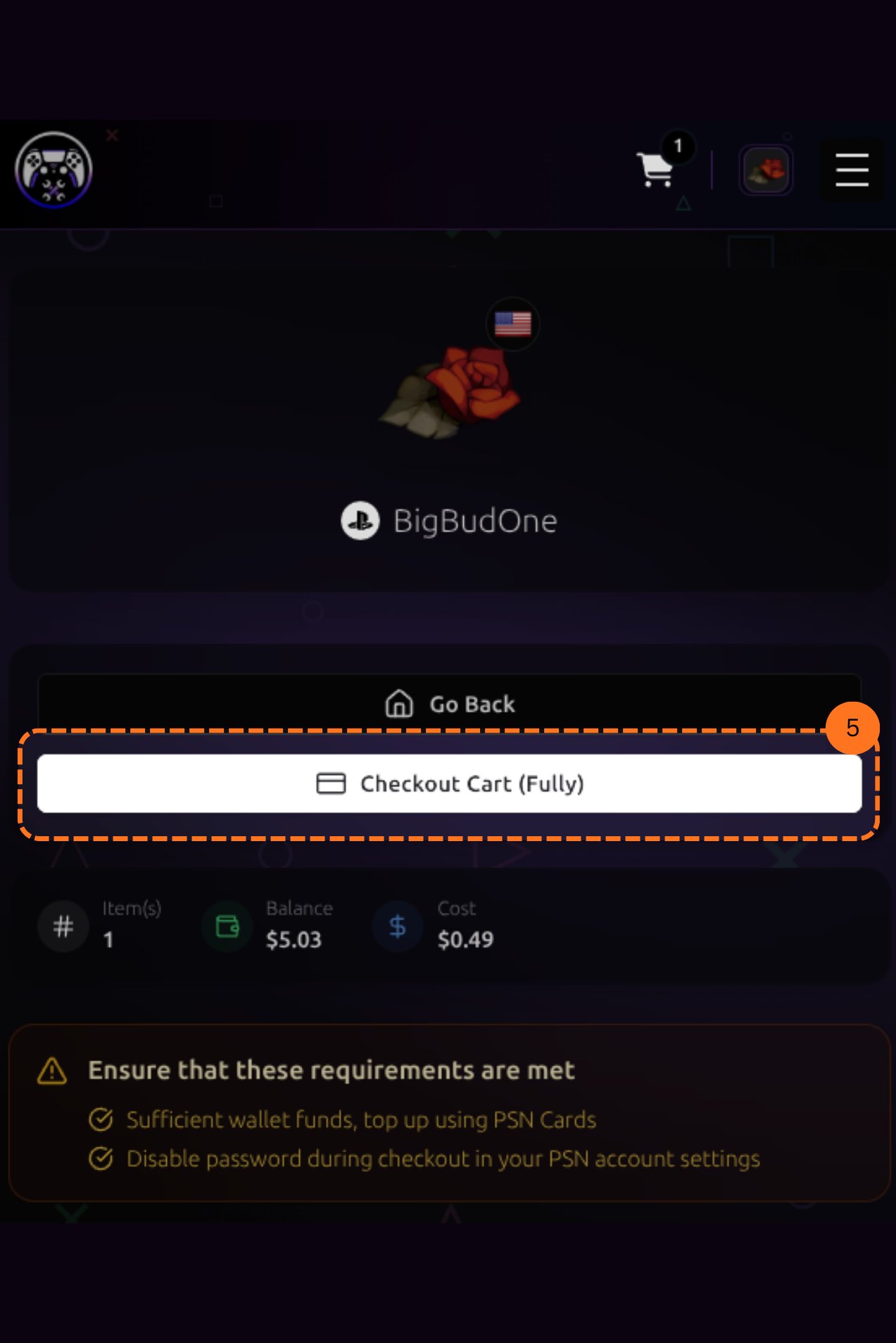
Choose an avatar or item and click Add to Cart. After adding items, click the cart icon in the top right corner to review your selection.A pop-up will appear showing your cart. Click Proceed to Checkout to move forward.